Cloud Migration: Lift & Shift vs. Refactoring (The Financial Truth No One Tells You)
Cloud migration strategies
Your physical Data Center lease is about to expire. The hardware is 5 years old, and power and cooling costs are eating up your IT budget. The decision is obvious: “Let’s move to the cloud.”
However, for many CIOs, migrating to the cloud (AWS, Azure, or Google Cloud) becomes a financial nightmare months after “Go Live.” They receive the first bill and discover with horror that they are paying more in the cloud than they paid on-premises.
Why does this happen? Because they treated the cloud as if it were just another Data Center.
Choosing the right cloud migration strategies is not just a technical decision; it is the most important financial decision you will make this year. The main battle is fought between two philosophies: Lift & Shift (Rehosting) and Refactoring (Re-architecting).
At Koud, we help companies navigate this dilemma with an honest stance: there is no universal “best” option, only the right option for your cash flow and timeline.
Lift & Shift (Rehosting): The Quick Move
The “Lift & Shift” model is exactly what its name implies: lifting your virtual servers as they are in your Data Center and dropping them into the cloud. You don’t change code, you don’t change architecture. If it runs on Windows Server 2016 locally, it will run on a Windows Server 2016 EC2 instance in AWS.
Advantages:
- Speed: It is the fastest way to get out of the Data Center. Ideal if you have an immovable deadline.
- Lower Initial Technical Risk: By not touching the application code, the risk of introducing new bugs is minimal.
The Financial Trap:
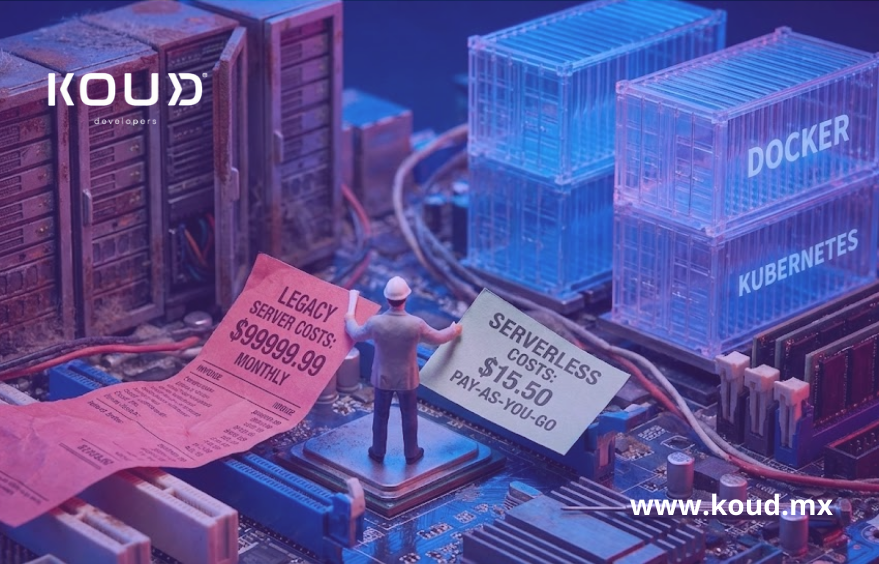
The problem is that you take your inefficiencies with you. Legacy applications are designed to run on hardware you already paid for (CapEx), so they usually consume resources 24/7, whether they have users or not.
In the cloud, you pay per second (OpEx). Moving servers to AWS without optimizing them means you will pay for idle computing capacity 24 hours a day. It’s like leaving the lights on in your house all month, whether you are there or not, but paying luxury hotel rates.
Refactoring (Re-architecting): The Smart Investment
Refactoring implies rewriting parts or all of your application to be “Cloud Native.” This means stopping thinking about servers and starting to think about services.
Instead of having a giant server running everything, you break the app into microservices, use containers (Kubernetes), or Serverless functions (AWS Lambda).
Advantages:
- Massive Long-Term Savings: With Serverless, if no one uses your app at 3:00 AM, your cost is literally $0. You only pay when a function executes.
- Automatic Scalability: The app grows and shrinks elastically according to real demand, without human intervention.
- Resilience: If a microservice fails, the entire application doesn’t crash.
The Entry Cost:
Refactoring requires time, money, and specialized talent (Cloud Architects, DevOps experts). The Return on Investment (ROI) is not immediate; it is seen months later when your cloud bill is 60-70% lower than with the Lift & Shift model.
The CIO’s Dilemma: Which One to Choose?
Koud’s honest answer is: It depends on your business goal.
Choose Lift & Shift if:
- Your Data Center contract expires in 3 months and you need to leave now.
- It is a commercial application (COTS) where you do not have access to the source code to modify it.
- Your team has no cloud experience and you need a quick win.
Choose Refactoring if:
- The application is critical to the business (Core Business) and you plan to keep it for more than 5 years.
- You need agility to launch new features (Time-to-market) that the current monolith does not allow.
- You are looking to drastically reduce the benefits of application refactoring and long-term operational costs.
Koud’s Hybrid Strategy (The Middle Path)
Rarely is the answer black or white. At Koud, we often recommend a “Lift, Tweak & Shift” (Replatforming) strategy.
We move the application fast (Lift), but make small strategic adjustments (Tweak) like changing your self-managed database for a managed service (like Amazon RDS) to reduce operational burden without rewriting all the code.
Then, once in the cloud, we begin the progressive refactoring of the most expensive modules (Strangler Pattern).
Checklist: Migration Diagnosis
Before signing with AWS or Azure, evaluate your workloads:
- Volatility: Is your app traffic constant or does it have explosive peaks? (Peaks = Refactoring is better).
- Obsolescence: Is your code written in a dead language (e.g., Visual Basic 6)? (Refactoring is mandatory).
- Budget (CapEx vs OpEx): Do you have the budget to invest now and save later (Refactor), or do you prefer to spend little now and pay high rent later (Lift & Shift)?
Frequently Asked Questions
Is it possible to automate refactoring?
Partially. There are tools that help containerize legacy applications (put them in Docker), but business logic and separation into microservices require human intelligence and artisanal architecture.
How long does a complete refactor take?
It depends on the complexity. A medium monolith can take 4 to 8 months to be rewritten into microservices. A Lift & Shift of the same system could take 4 weeks.
What about security in Lift & Shift?
It is a risk. If you migrate a server with an unpatched operating system, you take the vulnerability to the cloud. In the cloud, perimeter security is different. Koud ensures that, even in Lift & Shift, security groups and cloud firewalls (WAF) are implemented to mitigate risks.
Conclusion
The cloud is not magic; it is a tool that amplifies what you already have. If you have efficient processes, the cloud makes them scalable. If you have inefficient processes, the cloud makes them expensive.
Don’t migrate just for the hype. Migrate with a clear financial strategy. At Koud, we are not just engineers; we are strategists who care about your IT budget.