Mobile UI Kits: Accelerate Your Enterprise App Development
App development UI Kit
In the fast-paced world of software development, speed is the new currency. For a Product Owner or an entrepreneur, nothing is more frustrating than having a brilliant idea, an approved budget, and then hearing the design team say: “We need 6 weeks to define the styles for buttons and text fields.”
The artisanal approach to mobile design—where every screen is drawn from scratch as if it were a unique work of art—is unsustainable for modern enterprise applications. The market doesn’t wait. Your competition doesn’t wait.
The solution to break this paralysis is not hiring more designers, but changing the methodology: stop drawing pixels and start assembling components. This is where UI Kits and Design Systems come in.
At Koud, we have industrialized the interface creation process. We don’t reinvent the wheel every time you need a login form; we use our library of tested components to reduce Time-to-Market by up to 40%.
What is a UI Kit? (Lego vs. Clay)
Imagine you are going to build a house.
- The Traditional Method (Clay): You make every brick by hand, mold every pipe, and cut every wire to size. It’s artistic, but slow and error-prone.
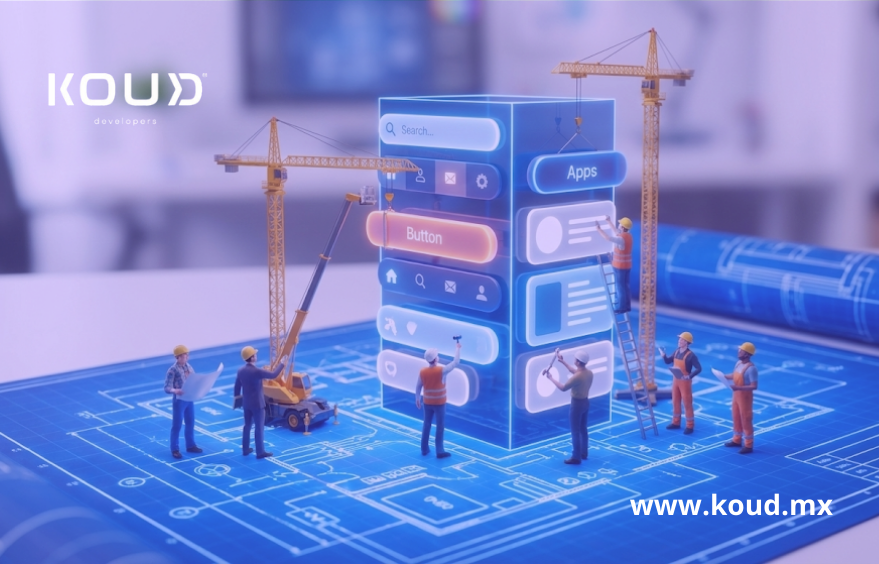
- The UI Kit Method (Lego): You have a box with high-quality prefabricated pieces (doors, windows, roofs) that fit perfectly together. Your job is to assemble them creatively to create a unique structure.
An app development UI Kit is exactly that: a collection of interface elements (buttons, inputs, menus, cards, charts) that have already been designed, coded, and tested.
The Advantage of React Native Components
At Koud, we don’t just use “drawings” in Figma. We take the UI Kit to the code. We have repositories of React Native components ready to use.
When your app needs a “Date Picker,” our developers don’t write 500 lines of code to create it. They import the <KoudDatePicker /> component, and in 5 minutes, it works perfectly on both iOS and Android.
The Myth of “Generic Look” vs. The Reality of Branding
The number one objection we hear from marketing teams is: “We don’t want to use a UI Kit because our app will look like everyone else’s.”
This is a myth derived from cheap templates. A professional UI Kit is not a rigid template; it is a flexible system based on Design Tokens.
We can take the same component structure and, by simply changing the “Tokens” (colors, fonts, border radii, shadows), make an app look corporate and serious (like a bank) or vibrant and youthful (like a social network).
Customization is total, but the underlying structure (the engineering) is what we reuse to ensure stability and speed.
Consistency: The Silent Killer of User Experience (UX)
Have you ever used an app where the “Accept” button is blue on one screen, green on another, and round on a third? That is a lack of consistency, and it destroys user trust.
When we design screen by screen from scratch, it is easy to make these human errors. With a UI Kit, consistency is automatic.
- If we update the “Primary Button” component to have rounded corners, automatically all buttons across the 50 screens of your application update.
- This greatly facilitates maintenance and ensures that your fast mobile interface design is also a high-quality design.
Business Benefits (ROI)
Using a system of pre-built components directly impacts your budget:
- Reduced Design Costs: Fewer billable hours reinventing basic elements.
- Fast Frontend Development: Programmers focus on business logic (connecting APIs, processing data), not fighting with CSS style sheets to center a div.
- Guaranteed Accessibility: Our components already comply with component design standards and accessibility (contrast, touch targets), something often forgotten in from-scratch developments.
Checklist: Should You Use a UI Kit?
- Do you need to launch an MVP (Minimum Viable Product) in less than 3 months?
- Is your application transactional (forms, lists, dashboards) rather than a video game?
- Do you have a limited budget and prefer to invest it in features rather than decorative aesthetics?
- Are you worried about visual consistency between iOS and Android versions?
If you answered “Yes,” Koud’s approach is ideal for you.
Frequently Asked Questions
Can I customize the UI Kit later?
Yes. Design systems are living things. We can launch version 1.0 with standard components to get to market fast, and then evolve and customize the interface in version 2.0 without having to rewrite the app’s logic.
Do UI Kits work for complex native apps?
Absolutely. In fact, companies like Airbnb, Uber, and Shopify base all their development on their own design systems (internal UI Kits). It is the only way to scale when you have large teams and complex apps.
Does this affect app performance?
On the contrary, it improves it. By using optimized and tested components, we avoid junk or redundant code. A list of products rendered with our React Native components will be smoother than one made “custom” by a junior developer.
Conclusion
Design should not be the bottleneck of innovation. Your value as a company is not in having a “unique in the world” button, but in the service you offer through that button.
At Koud, we give you the building blocks so you can focus on building the skyscraper.