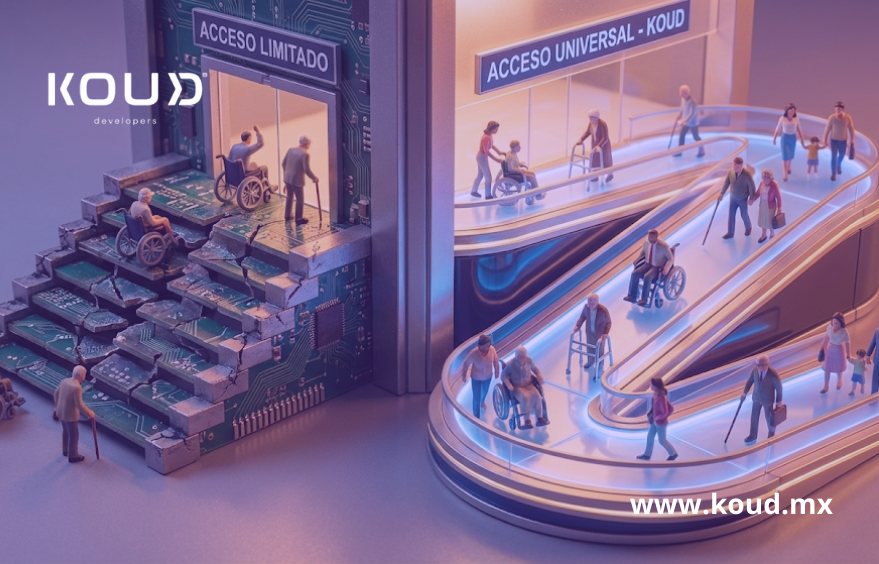
Web Accessibility (WCAG): Make Your Software Usable for Everyone (And Comply with the Law)
Web accessibility WCAG
For years, software accessibility was viewed as a “nice-to-have” feature, something left for Phase 2 or 3 of the project if budget allowed.
Today, that mindset is an unacceptable legal and commercial risk.
According to the World Health Organization, over 15% of the global population lives with some form of disability. If your E-commerce platform, banking app, or government service portal isn’t accessible, you are actively blocking 1 out of every 7 potential customers.
But beyond ethics and business, there is compliance. In many countries, regulations require any public-facing software to comply with WCAG web accessibility (Web Content Accessibility Guidelines). Ignoring this can result in the loss of multi-million dollar government bids or discrimination lawsuits (like ADA lawsuits in the US).
At Koud, we don’t see accessibility as a final patch. We see it as a code quality standard: accessible software is, by definition, better-built software.
What are WCAG and Why Should Your Legal Director Care?
The WCAG international standards are the gold standard developed by the W3C consortium. They are divided into three compliance levels:
- Level A (Basic): If you don’t meet this, your site is impossible to use for people with disabilities.
- Level AA (Global Standard): The level required by most laws (like Section 508 in the US or EN 301 549 in Europe).
- Level AAA (Optimal): The highest level of inclusion.
The Bidding Risk
If your company sells software to governments, banks, or large international corporations, you will find a clause in the contract demanding “WCAG 2.1 Level AA Compliance.”
If you deliver the product and an audit reveals that a blind user cannot complete a transaction, the contract can be terminated for technical non-compliance. Inclusive software development is your insurance policy against this scenario.
Beyond Visuals: Keyboard Navigation and Semantics
A common mistake is thinking that accessibility only means “adding alt text to images” for the blind. It is much more complex.
1. Keyboard Navigation (Motor)
Many users with motor disabilities cannot use a mouse or trackpad. They navigate using only the keyboard (Tab, Enter, Arrows) or adaptive switch devices.
The Koud Test: Try using your own application without touching the mouse. Can you reach the “Pay” button? Do you know where the focus (the cursor) is on the screen? If you can’t, your app is broken for millions of users.
2. Semantic HTML vs. “Div Soup”
Screen Readers (like JAWS or NVDA) used by visually impaired people read the code, not the screen.
- Bad Code: A junior developer makes a button using a <div> tag and styles it to look like a button. To the screen reader, that is just “text,” not an actionable button.
- Koud Code: We use semantic tags (<button>, <nav>, <article>) and WAI-ARIA attributes that tell the assistive device exactly what each element is and what it does.
The Invisible Side Effect: Better SEO and Usability
The irony of accessibility is that by fixing it for a minority, you improve the experience for the majority.
- Google is a blind user: Google bots navigate your web just like a screen reader. If your semantic structure is perfect for accessibility, it is perfect for SEO.
- Situational Disabilities: A video with captions (mandatory per WCAG) doesn’t just help the deaf; it helps the executive watching the video on the subway without headphones. High contrast helps someone viewing your app under bright sunlight.
Accessibility compliance improves universal User Experience (UX).
Audit and Remediation
Do you already have built software and fear it isn’t accessible?
You don’t have to throw it away. At Koud, we perform Remediation processes:
- Automated Audit: We scan the site with tools like Lighthouse or Axe to detect 30% of obvious errors (contrast, missing tags).
- Manual Audit: Our experts navigate the site using only keyboards and screen readers to detect the remaining 70% (navigation logic, focus traps).
- Refactoring: We adjust the code to meet Level AA without changing the visual design.
Checklist: Is Your Software Exclusionary?
Take this quick test right now:
- Tab Test: Can you navigate through all menus and buttons using only the Tab key?
- Zoom Test: If you increase browser zoom to 200%, does the text overflow or become unreadable?
- Contrast: Is light gray text on a white background hard to read?
- Forms: If you make a mistake filling out a field, does the system tell you what failed with text, or does it only turn the border red (which colorblind users won’t see)?
Frequently Asked Questions
Is making a web accessible more expensive?
If done from the start (Security & Accessibility by Design), the additional cost is marginal. If an already built site needs to be fixed (remediated), it can represent 15-20% of the development budget, but it is cheaper than a lawsuit.
Does accessibility limit my creative design?
False. You can have a visually stunning website with animations and vibrant colors that is fully accessible. Accessibility lies in the code layer and the alternatives you offer, not in limiting visual creativity.
Is it mandatory to comply with WCAG?
Increasingly so. In the US, the ADA affects websites. In Europe, the European Accessibility Act is strict. Global companies must comply with these standards to operate internationally.
Conclusion
Technology has the power to level the playing field, but only if we build it with empathy and correct engineering.
At Koud, we create robust software not just because it ticks a legal checklist, but because we believe your digital product should be usable by any human being, without barriers.